Why explaining a problem to a rubber duck works
- Explaining a problem step by step to something that can't help often reveals the answer.
- It works because out loud you can't skip the step you were taking for granted.
- It works on plans, essays and decisions as well as code.
Rubber duck debugging means explaining a problem, step by step, to something that can't help, traditionally a rubber duck on your desk. Somewhere in the explanation you usually spot the answer, because saying each step out loud stops you skipping the one that's wrong.
Most programmers have had this happen. You're stuck on a bug for an hour, you finally give in and ask a colleague, and halfway through explaining it you say "oh" and walk off with the answer while they haven't said a word.
The duck is a way of getting that without interrupting anyone. The Pragmatic Programmer, published in 1999, popularised it with the story of a developer who kept a rubber duck by the screen and explained code to it line by line. It sounds like a joke, and it isn't really one.
What's actually happening
When you think through a problem in your head, you skip. You know what step three does, so you don't look at it. Explaining to something that knows nothing makes you say step three in full, and that's often where the faulty assumption has been hiding. Psychologists call the general version self-explanation, and it's one of the more dependable ways to understand something better.
It isn't only for code
The duck works on anything that's stuck: a plan that feels off, an essay argument that won't hold together, a decision you keep going round. Start from the beginning, assume the listener has no context, and say why each step follows from the one before. When a sentence sounds weak as you say it, stop. That's usually the spot.
When a sentence sounds weak as you say it, stop. That's usually the spot.
Its one limitation is that it never asks anything back. Sometimes you need someone to say "hang on, why did you assume that?"
A rubber duck that asks back
Explain the problem to TalkGraph instead. Each step you say lands on a map, so you can see your reasoning laid out rather than holding it in your head, and the step that doesn't fit is easier to spot. When you pause, it asks you a short question about what you just said, the kind a colleague would ask. It works for a bug, a plan, an essay argument or a decision.
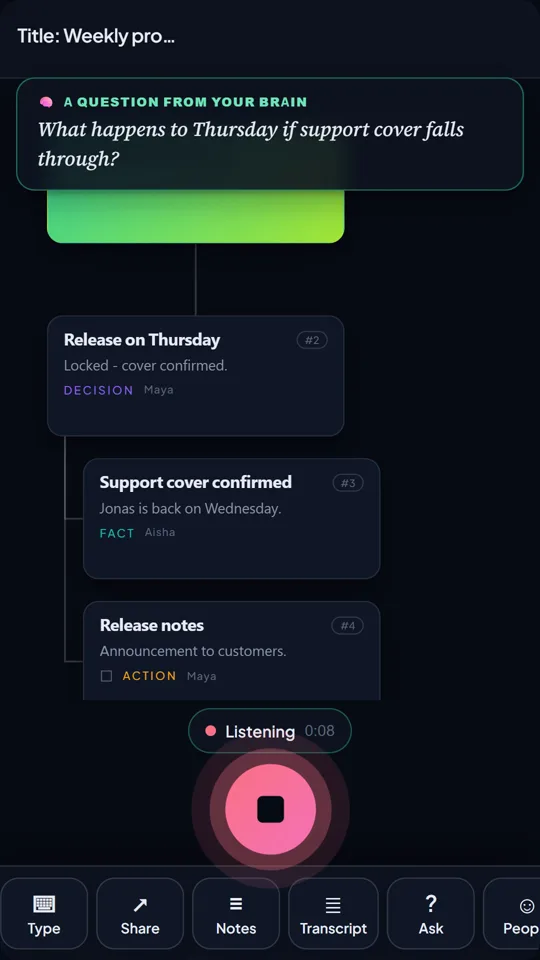
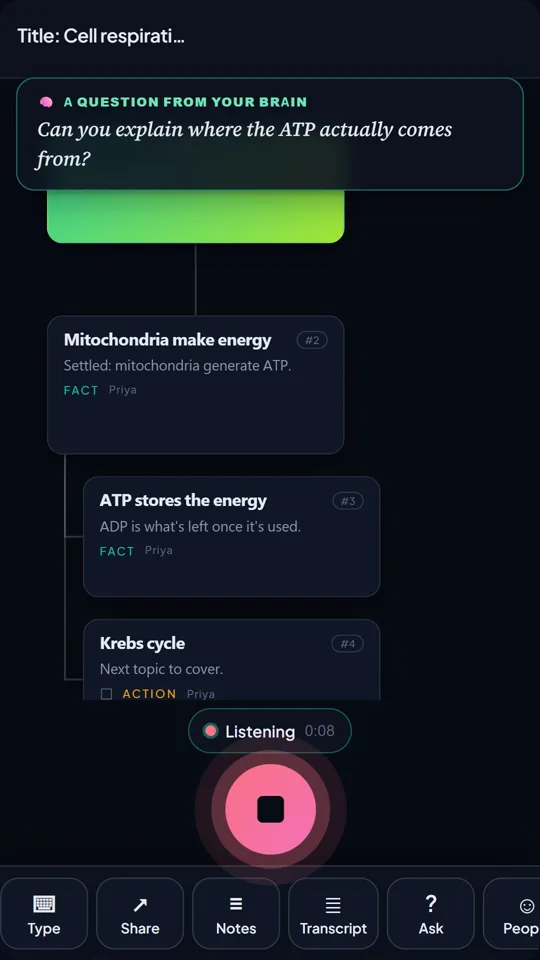
TalkGraph maps what you say as you speak and asks you the next question. Free to try, no sign-up.

Klevis is the founder of TalkGraph, which he built and shipped solo. He has a First Class MSc in Computing and Information Systems, and writes about thinking, learning and tools that help people think rather than think for them.
LinkedIn →Sources
- Hunt, A. & Thomas, D. (1999). The Pragmatic Programmer: From Journeyman to Master. Addison-Wesley. pragprog.com/titles/tpp20/the-pragmatic-programmer-20th-anniversary-edition/